As we approach Apple’s Fall Announcement season, rumors are swirling up once more about the “iPad Pro†and its purported stylus. Will pen support be the magic bullet that saves the iPad? Absolutely not. For the most part, pre-iPad tablets had styluses to make up for technical limitations of touchscreen accuracy and the need to hit tiny, fiddly buttons on desktop UIs. We’ve come a long way since then, unless you’re Microsoft. And we know how we’ll the Surface Pro’s been doing these days. Besides, styluses suck. They’re expensive, and easily lost—and the more expensive and fancy they are, the more likely you are to lose them. Considering Apple’s predilection for smaller, thinner devices with fewer ports, do you think Apple’s going sell a device with a slot to tote a stylus in?
That’s not to say that pen support won’t come to the iPad. It has to. Pen support is, to borrow a phrase from John Siracusa, necessary, but not sufficient for the tablet to replace the PC as the dominant form of computing. I doubt Apple will make their own stylus, and if they do, it certainly won’t be a “smart†stylus. Apple’s methodology with iOS devices is to add capabilities and sensors to the device itself, not to add hooks for outside hardware. A stylus runs counter to this approach. All Apple needs to do to bring pen support to the iPad is something they’re clearly planning to do anyway: add Force Touch.
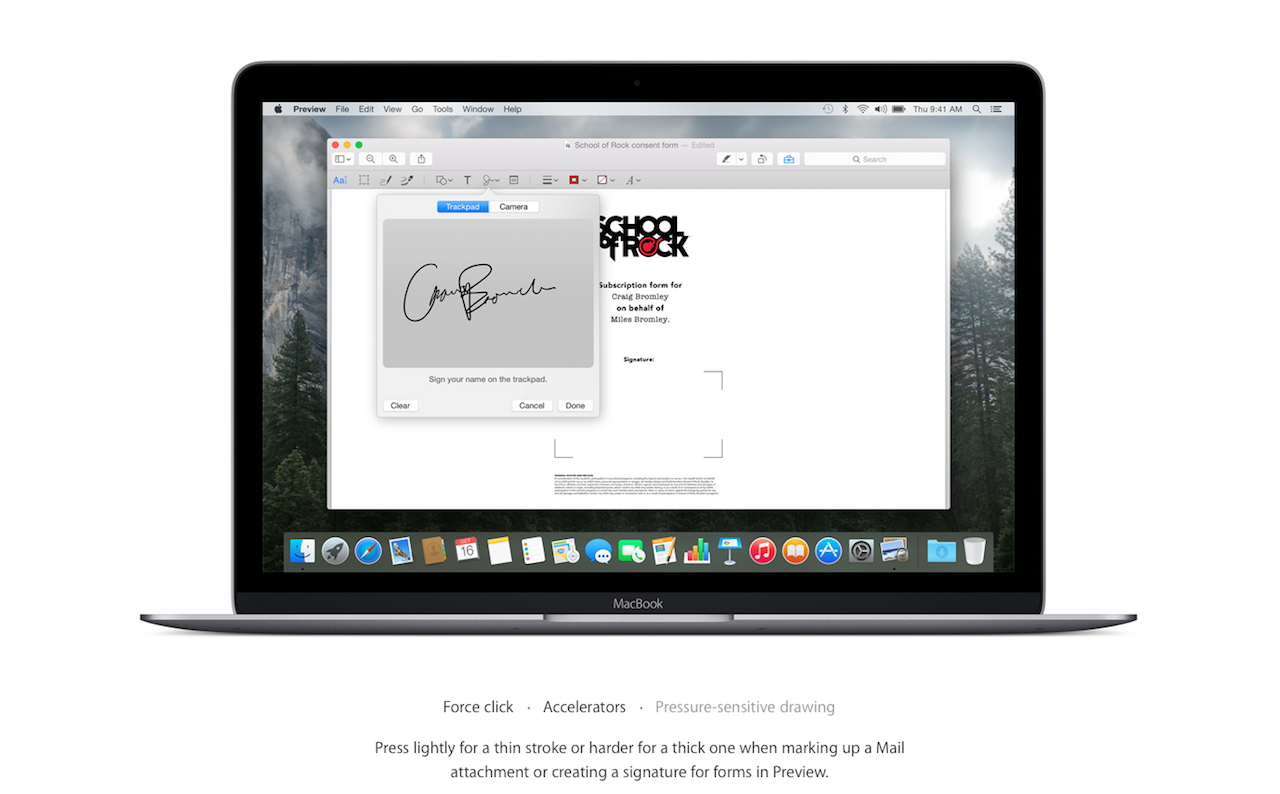
When the new MacBook launched, with the Force Touch trackpad, a few people noticed that in the Force Touch section of the design page, it mentions “pressure-sensitive drawing†as a feature. Within a week, it was forgotten, mostly because everyone freaked out about the new keyboard. Force Touch trackpads have enough pressure sensitivity that one could use it to sign something, even without a stylus, but it works with one, too. An iPad with Force Touch sensors in the display will suddenly make every stylus on the market be pressure sensitive. The only reason Apple would need to make their own stylus is to snag a couple extra bucks of profit from accessory purchases.
On top of all that, baked into MacOS X is Inkwell, a handwriting recognition technology first created for the Newton (replacing the licensed technology that gave us “Eat Up Marthaâ€). iOS is built on the same core technologies as OS X, and so, if Inkwell isn’t already baked in to iOS, it probably wouldn’t be difficult to port it. All you need to do is look at the new Notes app in iOS 9 to see where Newton-style handwriting recognition could be used on a first-party basis. And if Inkwell can be turned into an API, all kinds of crazy apps could tap into it, creating myriad new uses for pen computing.
Reading the tea leaves, it’s pretty clear how Apple will bring pen support to the iPad, and to other iOS devices: a Force Touch display, Inkwell handwriting technology (or a successor), and leveraging the huge array of pre-existing styluses to match everyone’s preference. Boom. We’ll find out in October if I’m even close to right on this, but for anyone hoping for a first-party stylus, don’t hold your breath. I’m not a betting man, but I’d bet on that.
For the iPad, and tablets in general, to supplant traditional PCs, there’s more that needs to be done: longer battery life, more CPU power, better input, and—most importantly—faster inter-device wireless connectivity. Pen support certainly goes a long way towards solving the input problem, but that alone won’t save flagging iPad sales. It’s a very good first step, though.
Gloom and doom is the forecast for tablets these days. Sales are dropping, even for iPad, the king of the tablet hill—which is a small hill, to be sure. With bigger smartphones coming at it from one side, and tiny, ultralight laptops coming at it from the other, where does the tablet go? Why spend $400 on a tablet, when you can get a perfectly good laptop for a little more, or a perfectly good Chomebook for a lot less? Tablets are a luxury! They’re a niche product! They’re doomed to be an also-ran in the computing space!
For now.
The Childhood of the Tablet
We’ve only been in the tablet computer era for five years, at least If we go by the launch of the original iPad as the birth of the modern era of the tablet. There were plenty of computers in a tablet form factor before the iPad, but most were just giant, thick laptops with no keyboards, and with interfaces optimized for keyboard and mouse. The iPad was the first tablet to provide a specific, finger optimized interface, which is exactly what you want for a handheld device. The iPad was the basic form and UI of a tablet computer, done right.
To make a clunky analogy, tablets, pre-iPad were giant IBM PCs. The iPad was the Mac—a refined product with a new, user-friendly UI with some restrictions that the IBM PC didn’t have. Back in 1984, when the Mac launched, there wasn’t much need for the average person to have a home computer. They were the province of hobbyists, geeks, and hobbyist geeks. It wasn’t until the rise of the Internet in the mid–90s that home computer ownership became a real need, though that was primed a bit by the CD-ROM Multimedia Gold Rush. If 2010 was the tablet equivalent of 1984, then we’re only in 1989, where computers are a useful home accessory, but not even close to a necessity.
There’s a ton of potential in tablet computing as a form-factor that we are only just beginning to unlock five years in. It’s not hard to envision a future for the tablet that sees it, not just as a secondary device, but as the primary computer for most people. With the right developments, the tablet could even become the primary computer for developers and other power user laptop and desktop computer holdouts. What does this future look like? Come with me, as I explore the Tablet of Tomorrow.
A Day With the Tablet of Tomorrow
The year is 2025.
You wake up, shower, dress, and scroll through the morning news and email on your tablet at the breakfast table. Nothing new here. Time to leave, and you toss your tablet into your bag, and head to work. Your desk at work has a 24" display at retina resolution, a wireless keyboard and mouse, and a small docking station with a lightning port. At your desk, you whip out your tablet, plop it on the docking station to charge, and get to work.
How? The tablet has instantly connected, wirelessly, to your keyboard, mouse, and display. It knows you’re on your office Wifi, and switches to what you were last working on, be it your email, the Henderson report, or an HTML file in an editor on one side, and a web browser viewing the file on the other. You work, switching between apps as you need, occasionally setting up your tablet to show something you need to work with you—maybe a chat window for Slack, or your email if you’re expecting something important. Maybe the stream of the Sportsball Playoffs, if you’re not.
After a couple hours of work, you have a meeting, so you grab your tablet off the docking station, fully charged, and the optional stylus. You switch to a note-taking app and write down stuff, or sketch and doodle as the meeting goes on, waiting for your moment to present. When that happens, you switch to your presentation app, swipe the slideshow over to the meeting room’s projector, and do your presention. People ignore it, because it’s a meeting, but hey, you’re done. Now it’s time to go back.
You return to your desk, and plop your tablet down. The 24" display lights up with everything you were working on before you got up for your meeting, while your meeting notes display on the tablet. If you want, you can swipe those notes up as a pane on your desktop, or just leave them on the tablet and mark them up while you work. Use a stylus, or use your finger. In the meantime, you get back to work.
Soon, quitting time rolls around, so you throw your tablet in your bag, and head home. On the train (or in your self-driving car if you must), you catch up on the news and email. At home, you drop your tablet in a charging dock at your desk, where it connects with your own home desktop monitor, keyboard, and a trackpad, ’cause that’s just how you roll at home. You catch up on your work and personal email, then edit and post a couple photos and videos to Facebook from your trip to the beach over the weekend.
When you’re done with all of that, you take your freshly charged tablet off the desk, swing downstairs, and drop it off in the living room while you eat dinner. While you eat, your tablet wirelessly connects to the 48“ TV. After dinner, you plop on the couch and grab your tablet. It’s already showing you your TV app of choice, and so you swipe through your options. Settling on Season 16 of Game of Thrones, you tap the latest episode’s listing, and suddenly the 40” screen across the room lights up and the theme thunders through your speakers.
Then, you realize you have a form you need to fill out for a doctor’s appointment, so you switch to your email and fill it out. You use your fingers to fill in the checkboxes, and for text, the haptic Force Touch keyboard on the glass is good enough for a little bit of touch-typing. You’ve been known to compose emails, take notes in meetings, and even write the occasional short blog post on it, but for longer work, you use your wireless keyboard at the desk. Meanwhile, as you fill out your doctor’s form and mail it off, the TV screen doesn’t skip a frame of bloody, sexy, fantasy action.
After Game of Thrones, you throw on some tunes over the home audio system, have a videochat with your special someone, and then play a video game. Realizing it would be cooler if your game was on that big 40" display, you shoot it over, and it doesn’t skip a frame, while your tablet turns into a custom controller with more features and a mini-map. You play for a while, and with 50% battery remaining, realize it’s time to turn in. On your way to bed, you plug your tablet in with the cable you keep on the sideboard.
Getting to the Future from Here
You know what’s not in the picture above? A traditional computer, desktop or laptop. The only presupposition is that, eventually, we get fast enough, power-efficient enough Bluetooth-like short-range wireless, and fast enough home wi-fi to send 4 to 5k video to a display at real time. Ten years might be an optimistic timeframe. It could be fifteen or twenty, but it’s not an impossibility. The obstacles are just wireless transfer speeds, processing power, haptics, and battery life. These aren’t problems we’re close to solving, but ones we’re making huge progress on. Everything else is stuff we can do now, at least in terms of software. Cloud storage handles the heavy lifting of storing documents and photos. The closest thing to a conventional computer in the home that I see in this future is a small home media server.
In a way, this vision of the future isn’t dissimilar from the idea behind Microsoft Surface. Surface tries to be all things to all people, but limits its ambitions to a device that’s all compromise—a hybrid touch/desktop UI that nobody likes, a crappy hardware keyboard, and an awkward form-factor. It’s gotten better, but it’s a device that carries with it 30 years of legacy computing baggage.
Could you do all this with a powerful enough phone? Maybe, and I could even see that being an option for people who have giant 6" Samsung phones. However, the tablet has a much more flexible form factor. A phone form factor isn’t great for multitasking, while a tablet has enough display space for multiple apps. A bigger form factor means a bigger battery, and more space for storage and RAM that are naturally constrained on a phone form-factor.
Imagine the ability to do computing work everywhere and anywhere with a screen you can carry in a small bag, or even in a big enough pocket. Imagine turning any big screen into your desktop. This is where the tablet could go, and what the tablet could become. The potential for a tablet to replace the conventional personal computer for the vast majority of people is immense.
People who worry about the future of the tablet are thinking too short term. It doesn’t matter what happens next quarter for iPad sales. It matters what happens in a longer-term scenario where the tablet becomes more capable, more connected, and more powerful—enough to replace the box on your desk, and yet still connect with all the extra stuff you need to live your digital life. We’ll get there in time. Until then, don’t panic, and start working to build that real post-PC future. Or, stick to your old, legacy computing device. It’s not going to go away, but the balance will certainly shift given enough time and development. I’m looking forward to it.
“I think it’s in part of a reaction to the atomization of technology. So much of new technology–and certainly media coverage of it–seems to be focused on making individual lives better while our common infrastructure decays. Uber instead of public transit. Airbnb instead of affordable housing. MOOCs instead of publicly-funded higher education. Spending time with infrastructure is reminding myself that it was once possible to work collectively for the shared good, something we need to figure out how to do again (and globally) if we are going to address planetary-scale problems like anthropogenic climate change.”
I’m not an infrastructure fanatic—though as my Twitter followers can attest, I love the subway, or at least complaining about it. I can still sympathize with Deb’s point of view. It nestles nicely with a recent piece in The Atlantic on the real sharing economy. This means organizations like tool lending libraries, Baltimore’s free book store, car sharing instead of “ride sharing,” and—of course—infrastructure. Or, to quote a quote from the Atlantic article: “When I think about the true sharing economy, I see libraries, parks, and common roads.†Exactly the opposite of the stuff getting all the press and VC funding.
People have long complained about technology’s isolating effect on us, especially in the age of the smartphone. I’ve been long skeptical of that attitude, but there is a real isolation problem in technology. It’s narrowed the scope of ideas away from things that benefit everyone to thing that benefit individuals. And not just any individuals—individuals with money, access to personal technology, and the privilege to not worry about the people providing their services. I’m including myself in this group too, by the way.
Apple’s historically been a company that treats the privacy of its users as a high priority—iCloud hacks not withstanding. The encryption on their proprietary iMessage platform, for example, is strong enough, and common enough to piss off the US government. And it’s not just privacy from the government that Apple’s known for: it’s protecting user data from advertisers, best expressed in Tim Cook’s angry invictive at EPIC’s Champions of Freedom event in June. It’s not a new thing for Apple, extending back to Steve Jobs’s tenure as CEO, but it’s gained new focus under Tim Cook. And I think I know why.
Tim Cook is 54 years old, born and raised in Alabama, and gay. For a gay man growing up in the Southern US in the 60s and 70s, the idea of being outed, or being out yourself, comes with huge, huge risks. In 2015, it’s a lot easier to be open about your sexuality—at least in some parts of the Western world—than it used to be. It’s still no guarantee of acceptance from your family or friends. While I’ve kept my own sexuality fairly private, I only came out publically on this site recently, and there are still people in my family who (I think) don’t know—and my family is, for the most part, open and supportive. In his excellent talk, “How Designers Destroyed the Worldâ€, Mike Monteiro tells of two gay people outed to their homophobic famlies due to Facebook privacy changes. Because of Facebook’s negligence, these two people have now lost their famlies. It’s getting better and safer to be LGBT, but the risk of losing families, friends, and jobs is still higher for LGBT people, even now.
The attitudes and priorities of the founders and CEOs of companies filter into the products they make. The risks of being outed aren’t going to be on the mind of your average straight, white, male CEO. When you don’t have to worry about what people think of you, when you carry no secrets that risk you losing your family, friends, or livelihood, it’s easy to assume the rest of the world has the same luxury. It’s not hard to see a CEO who knows what is at risk, as much in 2015 as it was in 1975, to have your secrets shared with those you need to keep them from. And if you’re going to be keeping your secrets private from them, you’ll want to keep them private from advertisers too. Nothing like an automated ad serving algorhitm to show you something that jeopardizes your secrets, without the awareness and compassion of humanity behind it.
One huge benefit of increasing diversity in the technology industry is to have more points of view into solving problems. Would Facebook have opted to reveal memberships in groups publically if one of the decision makers in the process was gay, and knew the risks? It’s hard to say for sure, but I can imagine knowing the risks would give them pause. We’ll never know for sure. Apple under Tim Cook is only one data point, and there’s other things that set it apart beyond just the CEO’s sexual orientation. They’re also not perfect, but they are taking the lead on privacy in a space where the focus is on forcing users to be more open, and algorithms to be more secret. I know which side I would prefer to be on, regardless of sexuality.
There’s been a lot of complaints about Apple Music from the technorati: a confusing UI, flaky search, unreliability, and general confusion abound. Plus the actual bugs. Though, none has been quite as damning and harsh as Jim Dalrymple’s recent, rage-filled, piece on The Loop
As if all of that wasn’t enough, Apple Music gave me one more kick in the head. Over the weekend, I turned off Apple Music and it took large chunks of my purchased music with it. Sadly, many of the songs were added from CDs years ago that I no longer have access to. Looking at my old iTunes Match library, before Apple Music, I’m missing about 4,700 songs. At this point, I just don’t care anymore, I just want Apple Music off my devices.
Wow.
Normally, I try not to join a dogpile when it’s going around the tech blogs. I figure I have bigger issues to focus on. This is an exception.
I’ve been using Apple Music since day one, and I’ve largely adapted to its UI quirks. As a streaming service—and only as a streaming service—it’s quite good. The human curated playlists are great, Beats 1… well, it has a show with St. Vincent making mixtapes for fans, so that’s cool. I’ve used it with some regularity to change up my listening habits. But the streaming service alone isn’t worth $9.99 a month to me. What is worth it is having my entire music library, both the stuff I bought on iTunes, the stuff I bought on CD and vinyl, and stuff that, er, fell off the back of a truck, everywhere. Apple Music promised me that with iCloud Music Library. And iCloud Music Library is a turd.
I actually can’t use iCloud Music Library with my iTunes library. I have 31,815 songs in iTunes right now, the end result of spending more than half my life acquiring music. The limit, at least for now, is 25,000 songs. So, in a fit of exuberance, I took a knife to my iTunes library, excising almost 7,000 songs so I could try iCloud Music Library. The result was a car crash, with mis-matched songs, screwed up metadata and album artwork, and several days of frustration as I restored 200GB of music from backups. All I can say is that Serenity Caldwell is my hero for posting how to reset one’s iCloud Music Library.
There seems to be a common theme among the iCloud Music Library horror stories: people with large collections of music, with meticulous tagging that doesn’t conform to the iTunes Store, and a lot of live recordings, remastered versions, remixes, or duplicate song titles in their library. I am very meticulous about my metadata in iTunes, and meticulous in a way that Apple themselves are not. I hate having crap like “(Deluxe Edition)” on my albums, unless I’ve kept the non-Deluxe edition around for some reason. If I have a live album, I don’t need “(Live)” appended to every song title. I know it’s live—it usually says so in the album title!
Whatever Apple is using to identify the songs that exist in their library to match, it’s naïve as hell, and will match whatever is the first likely thing. If your song is on a greatest hits album, it’ll match the greatest hits track. Got a live recording that’s missing “(Live)” in the song title? Here’s a studio version for you. Hell, my friend Andrew Marvin from Crush On Radio reported that iCloud Music Library replaced some of his studio Primus songs with live versions! How does that happen?
It’s possible that Jim, Andrew, and myself are just edge cases. We’re crazy music fans with gigantic libraries, custom metadata, live recordings, and other stuff in our library that throws the matching algorithm for a loop. The problem is, the crazy music fans are the ones who are most likely to throw a shit-fit when something goes wrong. And here we are. Something’s gotta happen, even if it’s just a way to tell Apple “HEY! YOU MATCHED THE WRONG SONG. UPLOAD THIS, INSTEAD.”
[T]he reality of iTunes Match in execution, at least from what I’ve heard from people who try to use, leaves me quite content with having to plug in my iPhone, and manually manage the music I carry with me. There’s less chance of failure with locally stored music, instead of relying on the cloud. I don’t have to worry about having Wi-Fi, or a cell signal, or if the servers are behaving. The minor inconvenience of plugging into my computer is more than made up in reliable access to music.
So, I’ve divorced myself from iCloud Music Library, and unless this crap gets resolved by the time iOS 9 drops, I’m not likely to pony up $9.99 a month for the privilege of human-curated playlists and a streaming radio station I don’t care about. What sucks so much is that iCloud Music Library should be the feature that sets Apple Music apart from all the other streaming options. Until they fix it, Apple Music might be doomed to be an also-ran in the streaming space. Considering how skeptical I’ve been of paying for music you can’t keep, I think I’m going to be just fine when my trial ends. And that’s only a problem for Apple.