Apple is weeks away (according to rumor) from releasing a new consumer technology product that has the potential to revolutionize our relationship to technology. Sure, there’s been smartwatches before, but none have had Apple’s level of detail, polish, and integration on the hardware and software levels. If anyone can get a smartwatch right, and unlock the potential of a computer on the wrist, it’s probably Apple. We can’t say until it’s for sale and wrapped around our wrists. There’s plenty we don’t know about Apple Watch, and how we’ll be using it, and all those unknowns are fueling speculation around the Internet.
Well, maybe in some places. What I keep seeing in my circles is speculation about how much Apple’s going to charge for the gold, Edition models, theories about how many Edition models are being manufactured, and curiosity about how they’ll be sold.
Seriously, people. We’re about to get our hands on a piece of gear that could, if done right, change the way we interact with every piece of digital technology in our lives. Apple Watch can become the most personal piece of technology we have seen, changing the way we relate to everything digital… and we’re arguing about the price of the gold in the case, and whether the most expensive model will cost $3,000, $5,000, or $20,000. Spare me. It’s clear that Apple is targeting across the price spectrum for their smartwatch, and it’s a smart strategy. There are people who drop multiple thousands on mechanical watches without blinking, and making Apple Watch appeal to them is a reasonable way try and secure some clout among the fashion conscious. How much will it cost? “A lot” will suffice.
The more important price we know is $349, the price for the entry-level Apple Watch. I agree with the current theory that the $349 price will be for the Sports variant, and it’s only $100 more than the base model Moto 360, generally considered the best Android Wear watch out there. As prices go, it’s one that puts the Apple Watch within reach of many people with an interest in technology. It’s affordable, but not cheap, which is fast becoming Apple’s entry-level price point. I’m reminded of the discussion, pre-iPad about pricing, with some suggesting it would start at $999. Instead, Apple priced it at $499, shocking everybody, and instantly making the iPad seem more affordable. If we have to talk about the price of this product, this is where we should be having the discussion.
Instead, focusing on the high-end of the price scale for Apple Watch feels like navel-gazing of the highest order.
The unique promise of wearable technology lies in its intimate proximity to our bodies, which makes Apple’s inward-facing “taptic engine†particularly interesting. This lets the device deliver pulses of vibration, or haptic feedback, to the wearer’s wrist, and it is unavailable to third-party developers for now. If Apple removes that barrier, the watch’s true power as a new kind of personal communicator will be unleashed…
This is powerful, compelling, and exciting stuff! It’s why, wearables skeptic that I am, have undertaken an experiment of wearing a smartwatch for a month. I want to know the potential of what this new form of computing can do, and the potential of what we can do with it. The gold Apple Watch Edition isn’t going to differ functionally from its less expensive, steel and aluminum brethren. On the outside it’s shinier, and fancier, but inside, the hardware is the same, and so are the bits that make up the software. So why all the attention being lavished on the mysterious price point for the gold model?
As I think about this problem, I come back to a thought I had recently: “That which is not quantifiable is not valued.” People, especially technology people, love numbers. I remember comparing the specs on computers with my friends back in the day, grumbling with envy at the guy with the 500Mhz Pentium III while I still got by with my 266Mhz Pentium II. In 2015, the specs no longer matter that much, outside of heavy lifting truck stuff, like video editing and 3D rendering (for games and design alike). When the innards of our laptops and tablets don’t differ that much between brands, we have to find something else to quantify, gloat about, and argue over.
So, we choose to fight and die on the hill of our chosen brand’s market value. Apple had the biggest quarter ever, and is now worth more than almost all other companies in the world. Apple sold more iPhones last quarter, at a higher average selling price than ever before. If Apple sells a bunch of multi-thousand dollar gold watches, that’s a huge pile of profit, and yet another thing to cheer for, and another arrow in our quiver that we can launch at the Android fans with their flat-tire screened Moto 360s.
John Gruber has described two types of baseball fans: numbers people, and story people. Numbers people care obsessively about the statistics, while story people focus on the player, their interactions, and the arc of a team’s season. For baseball, Gruber styles himself a story person. In technology, there’s the same thing. Some of us care about the numbers: clock speed, RAM, cache, transfer speeds. Some of care about how we can use the darn thing: about apps, interfaces, and our relationship with our gizmos. It’s clear that I’ve moved into that latter camp, and the numbers people aren’t telling a story I care about.
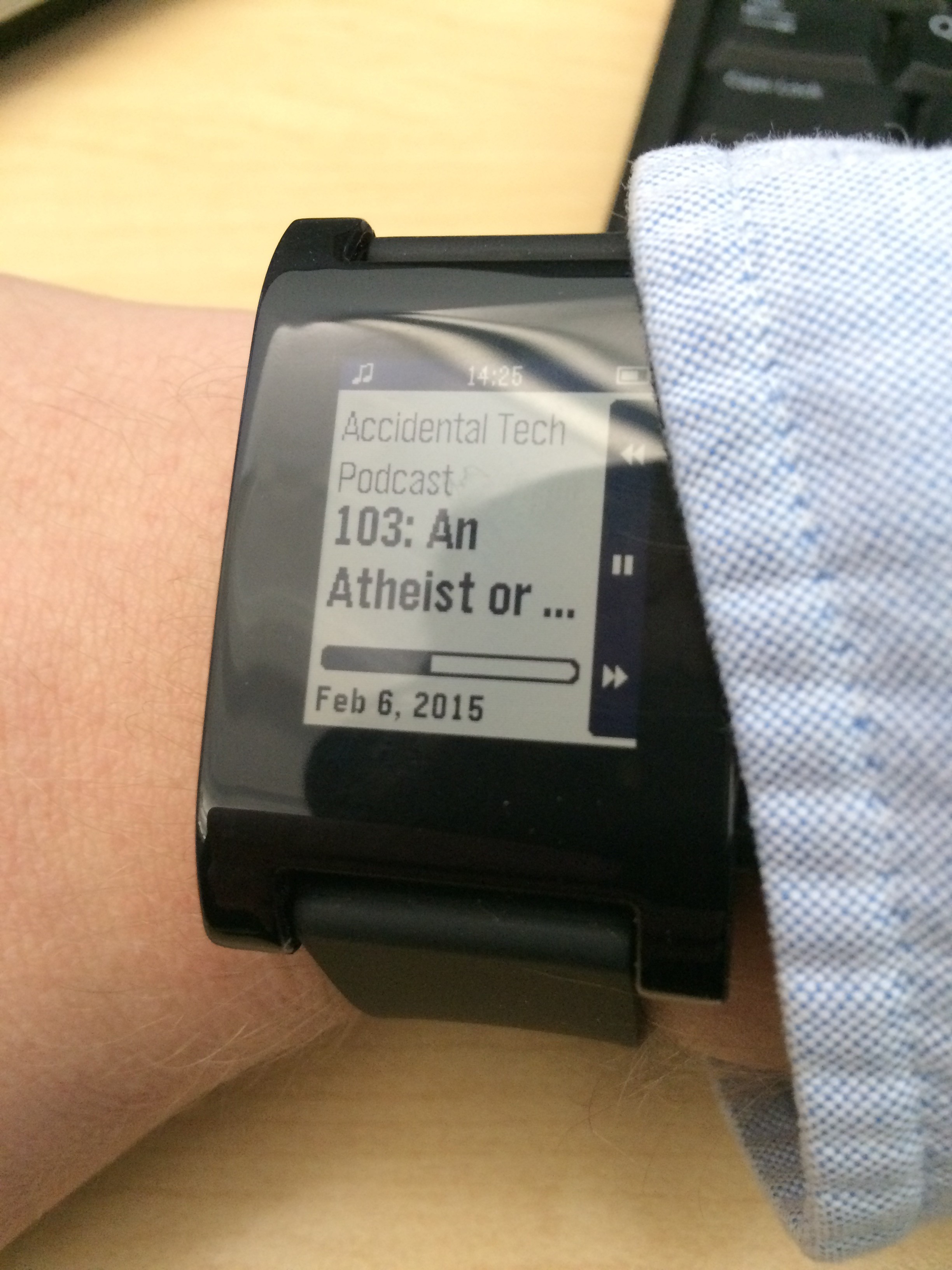
I’m a week or so into my Great Smartwatch Experiment of 2015. The initial novelty’s worn off, and I’m getting used to having a vibrating alert machine on my wrist. There’s moments in using a Pebble where I’m really glad to have it. Among them, the gentle reminders when something comes due in Due.app, being able to see the upcoming due items from OmniFocus in my calendar at a glance, and triaging messages when I’m out and about in the cold weather. [1] It’s made me rethink strategies around notifications, and made my phone a quieter, calmer thing to keep in my pocket.
And yet, this thing is annoying as hell. I’ve had moments where it’s vibrating and twitching so much that I want to throw it across the room. Part of these are OS-level issues. There’s no way to not get a notification on my Pebble if I’m actively using the phone, so when a message from my girlfriend comes in while I’m scrolling Twitter on the subway, I’ll see it on my screen, and feel it on my wrist two seconds later. iOS 8 also hasn’t exposed APIs for interactive notifications to Pebble, so when an alarm rings in Due, I’ve got to find my phone to mark the item done, or postpone it. I hope that iOS 8.2, will expose these features to watches other than Apple Watch, but that hope is toothpick slim.
Stephen Hackett noticed the same thing in his Pebble experiement, suggesting that “he Pebble may have to shift to being more Android-centric, where it can compete better against more integrated devices.†Pebble’s CEO promises a new interface, and new hardware soon, making this an interesting time to try one of these things out. I like the idea of the Pebble as a “hub,†and not a computing device all to itself…
…Not for the least of reasons because the Pebble app ecosystem is miserable. I’m not going to lie. Most of the apps on the Pebble, at least the ones that work with iOS, feel half-, if not quarter-baked. There are ones that work super well, but these are often the most basic apps: timers, remotes, and the like. The Evernote app is a little finicky, but it works well enough. I just don’t have much need to look at Evernote notes on my wrist. There seems to be precious little curation and testing for Pebble apps, which may be why they want to get out of the app game.
But the biggest issue, so far, remains the inability to do much on my phone with the Pebble but dismiss notifications. If I could interact more with the Pebble, and not dig my phone out of my pocket—or swipe at it in its dock on my desk—I’d be much less annoyed with it. Yet, there’s some huge conveniences with the Pebble, and I’m not entirely sure I want to give it up for the annoyances. It’s walking a tight line between convenient and annoying, and right now the balance is at the point where I can’t decide which way to go.
The drive on my Time Capsule is failing. This makes sense—the darn thing is seven years old, and hard drives don’t last forever. I’ve got cloud backup for all my important stuff, so I’m not worried. I just didn’t want to have to buy a new one right now.
I’m having issues with my MacBook Pro (15″ non-retina, 2013 model) and Yosemite, where apps will suddenly hang on launch. I’ve rebooted a few times, fixed permissions, and I think everything is behaving now, but it feels tenuous. Nothing is more fun than trying to get work done, only to have to reboot into recovery mode to run Disk Utility.
I think the touchscreen on my iPad 3 is starting to act up. When trying to use it, I’m seeing strange, seemingly random swipes and taps on ocassion. When I sat down to write last night, I managed to go 20 minutes without anything weird happening. Intermittent issues are the most annoying ones.
My EarPods are crackling and the volume feels weaker. I think the connection at the jack is breaking. This happens about every year or so with a pair, and somehow, I’ve accumulated enough pairs from various sources, that I even keep a backup in my daily bag with my iPhone cables.
So many of the tools we rely on every day are more fragile than we think. Hard drives fail, batteries swell, connections break under stress, software updates have bugs that only manifest under edge cases. When things go wrong, it’s a huge, and sometimes expensive, pain in the butt, and we’re always surprised when it happens. Now matter how much we reduce the points of failure in our technological lives, we’ll never reach a zero failure rate.
When the inevitable happens, try to keep this in mind. I hope it will reduce the frustration we feel when our systems fail.
While iOS 8 rekindled my interest in self-tracking, the bugs in Health.App held me back. If I was going to make any headway in fitness tracking, I’d have to find another solution—a standalone tracker. Unfortunately for me, most of the fitness trackers on the market are wristbands, which is exactly what I don’t want. I keep a watch on my wrist, and wearing both a watch and a tracker—even on different wrists—seemed like too much. Plus, the majority of the better ones are ugly, better suited for the gym than the wrist of a desk jockey. I could have gotten another FitBit One, but after losing two of them, and with FitBit’s unwillingness to support HealthKit, I wanted another option.
While I thought it over, Federico Viticci turned me on to Jawbone’s app ecosystem. I was intrigued by Jawbone, and even used the Jawbone phone tracker app on my iPhone for a time, but issues with HealthKit made it an exercise in frustration, instead of just exercise. Then, Matt Birchler convinced me to try the Jawbone UP Move. At $50, it’s cheaper than a FitBit One, which is great for such an easily losable device. (In fact, I’m on my second UP Move, having lost the first one inside of a day. Something I did with my first FitBit, too.) It tracks steps and sleep, integrates with a host of fitness apps I use, and it actually looks pretty nice for something that stays clipped to the change pocket on my pants.
The Jawbone UP app
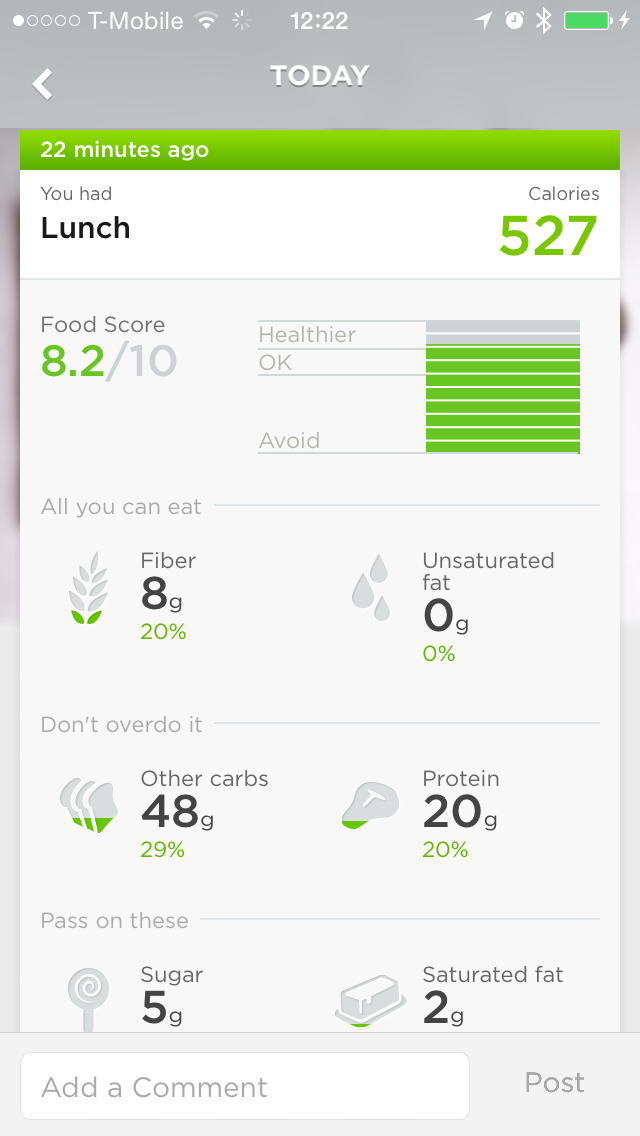
I’ve been using the UP Move for a month, and I’m happy with it. The ecosystem is its greatest strength. Unlike FitBit, which is very self-contained, Jawbone’s software connects with a ton of great apps, and with HealthKit. There’s currently an issue keeping it from writing step data to Healt.App, but sleep tracking works. It also works well with myFItnessPal, my food tracking app of choice. The Jawbone app gives you a Food Score based on the healthiness of meals you eat, and it would be easy for them to only provide it for foods you add within the app. Instead, it also provides the score for meals through myFitnessPal, giving me the power of MFP’s vast food database, and Jawbone’s own nutrition tracking. There’s also the great UP Coffee app, which I use to track caffeine consumption and its effects on sleep. UP Coffee is a little buggy, and has no HealthKit support, but it does the job well enough.
Another great part of the Jawbone software is the Smart Coach. Finally, a fitness tracker is using the data you feed it to make suggestions on behavior. Smart Coach offers up reasonable goals for me to meet, based on my previous activity. These range from going to bed at a reasonable time, to eating a certain amount of fiber in a day, or making a step goal. At first, due to the questionable data in Jawbone’s database from HealthKit, Smart Coach set me up with extremely low goals to reach, but it’s improved in the past month. I’m sure it’ll only get better the more I use it.
The best part of the UP Move, though, is the battery. I had to charge my FitBit weekly, using a clumsy USB dongle. The UP Move uses a standard watch battery, which should last six months according to the company. This is huge. Not having to charge my damn tracker means I don’t have to worry about forgetting it on the cradle, or losing data because I was out too long with a low battery warning. It might be a chore to pop the UP Move out of it’s rubber clip to replace the battery, but I won’t have to worry about that until summer.
Of course, there are a few issues, some of which I touched on above. Like all clip-on wearables, it’s easily losable. I’m already on my second, and I nearly lost its replacement a few days in while leaving home on a weekend walk. For sleep tracking, Jawbone offers an overpriced rubber wristband, which at fifteen dollars, is 30% of the cost of the tracker on its own. As a workaround, I clip it to my watch wristband when I go to sleep. So far, it seems pretty accurate. There’s also some annoying software bugs, including the aforementioned Health.App integration, and issues with displaying graphs. I’m sure these will be ironed out in time. There’s no issues I have with the hardware, except that the lights are awful bright if you trigger them in a dark room.
I’m glad I’ve opted for a dedicated device for fitness tracking over using my phone. It reduces the number of failure points: battery drain, app issues with HealthKit, leaving my phone at my desk. It also does just one thing: tracking my activity. The UP Move doesn’t try to be a smartwatch, vibrating when I get a phone alert, or other nonsense. I can be sure that as long as my UP Move is clipped to my pocket, I’ll never have to worry about Health.App flaking out and losing my data. That alone is worth $50, if I’m dedicated to tracking my health. I’ve already dropped the 10 pounds I gained over the holidays, which is a good start.
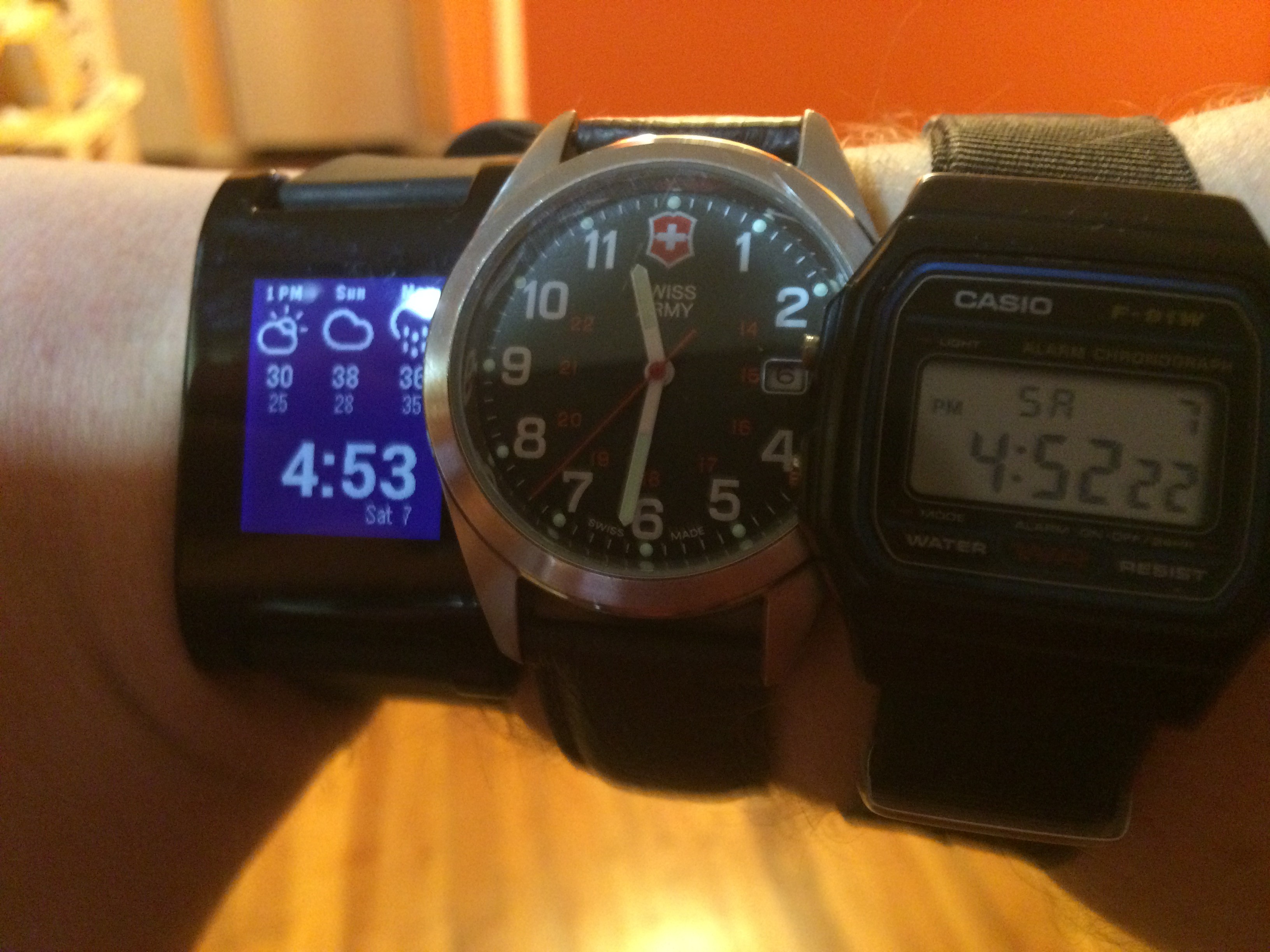
Regular readers will know my strong skepticism about wearables. For those who are unaware, here arejusta fewexamples. I remain a skeptic, despite being in the target market for these devices, especially smartwatches. I’m one of the few in my generation of late 20-/early 30-somethings who wears a watch regularly: typically a cheap Casio F91-W, switching to a quartz analog Swiss Army watch on dressier occasions. I should be all over wearable tech, but everything I’ve seen—including the upcoming Apple Watch—has left me cold.
Actually, I’m more lukewarm on Apple Watch, but I can’t afford one.
What I can afford is the most basic, $99 Pebble smartwatch. After spending some time thinking about my skepticism on wearables, especially having never tried one, I thought I should see if my stance is justified. It’s possible that only by using a smartwatch can I find a place for it in my life. So, on my lunch break this past Friday, I walked to the Best Buy near my workplace, and walked out with a Black, base model Pebble.
I didn’t go in blind. I’ve read Stephen Hackett’s thoughts on the Pebble, and while he ultimately decided that “It’s not that wrist notifications aren’t useful… the device itself just isn’t for me.†That’s a risk I’m taking with the Pebble as well. I might discover that it’s right for me functionally, but the product itself isn’t. In just a couple of days of use, I’ve already run into annoying issues that are related to using the Pebble with iOS. They’re not deal breakers, at least not yet.
Right now, I’m just adapting to having a smartwatch. I’ve already had to turn off some (more) notifications, and adjust how my phone handles notifications in the interim. When I first set up the Pebble, I had vibration alerts on my phone, and I would feel it buzz in my pocket before the Pebble buzzed on my wrist. I also was surprised at the strength of the Pebble’s vibrating motor—if the Apple Watch promises to be a “gentle tap on the wrist,†the Pebble is more “involuntary muscle spasm.†Cursory Googling and checking /r/pebble suggests that the vibration strength is partially a function of novelty and the silicon strap.
I have more first impressions of the Pebble as a device, and I’ll share those in a separate piece. As for whether having a smartwatch will change my opinion on their utility? That remains to be seen. There have been moments, even in the first days of use, that reveal the potential of the form factor. I’ve also had moments that reflect the exact frustrations that have worried me and informed my general skepticism of wearables. I’m not making any judgments yet. When I do, I’ll share them here.
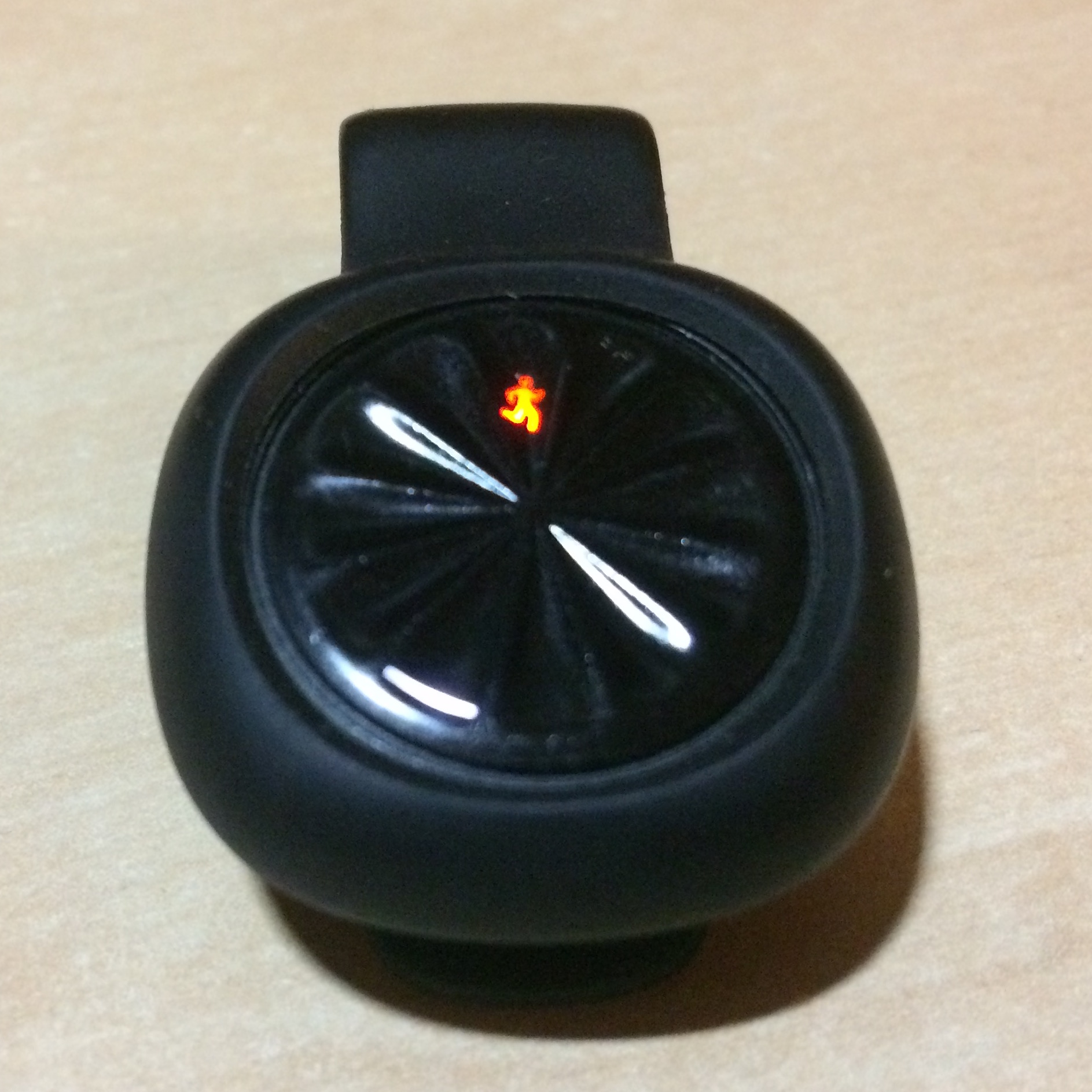
 . At $50, it’s cheaper than a FitBit One, which is great for such an easily losable device. (In fact, I’m on my second UP Move, having lost the first one inside of a day. Something I did with my first FitBit, too.) It tracks steps and sleep, integrates with a host of fitness apps I use, and it actually looks pretty nice for something that stays clipped to the change pocket on my pants.